
Notes can be added to segments of video files (e.g. .AVI, .MPEG) by using the Bookmarks and Start/End Markers (see Video Editing Toolbar)
1. Select the video file in the File List Pane - the file will be played in the Viewer Pane
2. Move the Viewer Pane slider
bar to the required start position of the segment to be saved and select the
Start Marker
3. Move the slider bar to the end position of the segment to
be saved and select the End Marker 
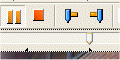
4. The video segment will be will be indicated by pointers on the bottom of the Slide Bar
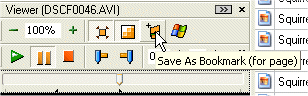
5. Select Save as Bookmark
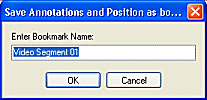
6. Enter the name of the Bookmark
7. Notes can be written against the video segment bookmark as for any file or bookmark
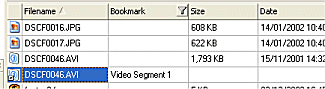
8. When the vide segment bookmark is selected only the segment will play
| Related Topics |
Creating a Bookmark
Creating Notes
Customizing Columns
| Walkthroughs |